Trans Infopreneur Inc. – Translation & Localisation Production Partner Since 1997
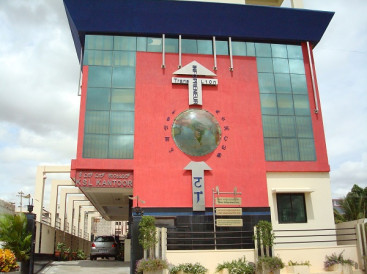
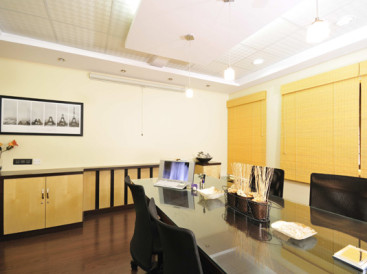
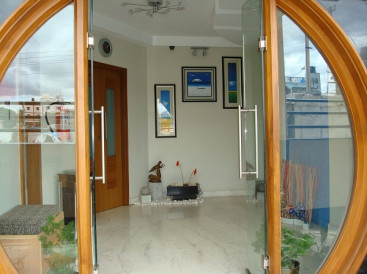
Trans Infopreneur Inc. is a full-service translation agency in continuous operation since 1997, working from a modern 8,000 sq. ft. production office in Bangalore, India.
We support European and international translation agencies, publishers, corporates, and international organisations as a stable long-term production partner for technical, legal, medical, IT, and patent translation.
Our core focus is on:
- Human Translation + Editing + Proofreading (TEP) for regulated content
- Controlled MTPE for suitable non-critical content
- Professional CAT workflows using Trados & Alchemy Catalyst
Who We Work With
We primarily work with:
- Translation agencies
- Publishers
- Corporates
- International organisations
We operate both as:
- A background production partner for agencies, and
- A direct service provider where required.
Why Agencies Work With Us
Agencies work with Trans Infopreneur because we offer:
- A real production agency, not a freelancer network
- Controlled quality through Human TEP
- Secure handling of confidential files
- Predictable delivery performance
- Stable long-term capacity without hiring risk
Agency Partnership Model
We work as your backend production partner, while you retain:
- Full control over:
- End clients
- Pricing
- Final delivery
We support you with:
- Human TEP
- Controlled MTPE
- Trados & Catalyst workflows
- Terminology and TM management
- DTP, OCR, and file preparation
Agency Onboarding – Simple & Low Risk
Our onboarding process is:
- Simple
- Secure
- Low risk
It includes:
- NDA (if required)
- Optional free pilot of about 500 words
- Style guide and TM setup
- Live production under agreed workflow
There is no obligation after the pilot.
Our Core Services
We specialise in the following domains:
- Technical Translation
- Legal Translation
- Medical Translation
- IT / Software Localisation
- Patent Translation
We also provide:
- MTPE (with clear policy and approval)
- Trados & Alchemy Catalyst Support
- DTP, OCR & Digitisation
Quality, Tools & Security
Our production is supported by:
- Human TEP as the default for regulated content
- Controlled MTPE where appropriate
- Professional CAT tools:
- SDL Trados
- Alchemy Catalyst
- MultiTerm
- WinAlign
- In-house QA tools:
- Phrase It Right
- Grammar And More
- 1,000+ domain-specific dictionaries
Security includes:
- NDAs on request
- GDPR-aligned handling
- No reuse of client files for AI or marketing
Learn more:
Industries & Language Coverage
We support a wide range of industries including:
- Engineering & Manufacturing
- Legal & Compliance
- Medical & Life Sciences
- IT & Software
- Business, Finance & Banking
- Telecom, Science, Tourism, and more
We work mainly with:
- European ↔ English
- Asian ↔ English
- Indian languages ↔ English
Explore:
Where We Are Based
- Trans Infopreneur Inc.
- 8,000 sq. ft. modern production office
- Bangalore, India
- Operating continuously since 1997
Working hours:
- 9:00 AM – 6:00 PM (India Standard Time — IST, UTC+5:30)
- 4:30 AM – 1:30 PM (Central European Time — CET, UTC+1)
- 5:30 AM – 2:30 PM (Central European Summer Time — CEST, UTC+2)

Start a Project With Us
To begin, simply share:
- Source & target language(s)
- Subject area
- Approximate volume
- Preferred delivery timeline
We usually reply within one working day with:
- Confirmation that we can take up your project
- Delivery schedule
- Price estimate
Subject to availability, we also support urgent and weekend projects.